Collection: CO2 Laser Cutter & Engraving Machine

Cut it. Engrave it. Ship it. A CO2 laser cutter and engraver handles both jobs on one machine | Wood, Acrylic, Leather, Fabric, Paper, and More.

Shop by Size:

Desktop vs. Industrial

Start with your workspace, not your wattage bed size determines what fits on your bench (or your shop floor) before power ever matters.

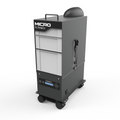
Desktop CO2 laser cutters (12"×20" up to 24"×24" bed, plugs into standard 110V) fit on a bench or rolling cart and vent through a window or carbon filter. Built for hobbyists, Etsy sellers, and classrooms running one job at a time.

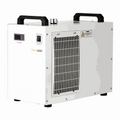
Industrial / cabinet CO2 lasers (28"×20" up to 40"×60"+ bed, 220V with chiller cooling) are built for pass-through material feeding, rotary attachments, and multi-shift production runs. If you're quoting jobs by the sheet instead of the piece, this tier is built to pay for itself in shop time, not just materials cut.

New to laser cutting or working in a small space? [Shop the Desktop Laser Cutter Collection →]

Shop by Wattage

Wattage determines what you can cut and how fast the difference between a machine that struggles through a busy week and one that breezes through it.

  • 40W–55W  Engraving-focused, with light cutting up to ~3–5mm acrylic or wood in one pass. Best for jewelry, coasters, and paper crafts.
  • 60W–90W  The most popular workshop tier. Cuts up to ~10mm acrylic and 6mm hardwood while staying fast on engraving the sweet spot most sign shops and serious hobbyists land on.
  • 100W–150W Production tier. Cuts 20mm+ acrylic and thicker plywood in a single pass, with faster raster speeds built for high-volume runs.

Rule of thumb: size your wattage to your thickest regular material, not your thinnest. Every machine engraves quickly it's cutting thick stock that exposes an underpowered tube.

What a CO2 Laser Can (and Can't) Do

CO2 lasers are the sharpest tool available for organic and non-metallic materials but they have one hard limit worth knowing before you buy: bare, uncoated metal. The 10.6-micron wavelength reflects off metal instead of absorbing into it, so stainless tumblers and brass tags need a marking spray or coated blank to take a mark or a fiber laser built for bare-metal work.

It's the single most common reason established shops eventually add a second machine. Knowing that now means you can plan for it instead of discovering it mid-order.

CO2 vs. Fiber vs. Diode: Which One Do You Need?

Feature CO2 Laser Fiber Laser Diode Laser
Wavelength 10.6 µm (10,600nm) ~1.06 µm (1,064nm) 450–460nm
Best Materials Wood, acrylic, leather, fabric, paper, glass (etch only) Bare & coated metal, hard plastics Wood, leather, dark or coated acrylic
Cuts Bare Metal? No (marking only, with coating) Yes No
Typical Power Range 55W–130W 30W–50W 10W–20W
Price Tier $2,309.99–$8,999 $1,978.45–$3,099 $399–$1,949
Ideal Buyer Sign shops, makers, schools, Etsy sellers Metal fabricators, marking shops, growing small businesses Budget-conscious hobbyists, first-time buyers

Most shops that need both bare-metal marking and organic-material cutting add a fiber laser alongside their CO2 instead of it.


Still deciding between the three? Read our full CO2 vs. Fiber vs. Diode buying guide for a detailed breakdown of costs, safety, and material fit.

Frequently Asked Questions

1. How to choose a CO2 laser cutter for engraving wood

Match wattage to material thickness  higher-powered lasers can cut through thicker materials, while 40–60W machines suit thinner stock and hobby work. CO2 light is readily absorbed by wood, making it the standard choice. Check bed size and airflow most engraving issues on wood come from airflow, bed setup, and material choice, not the laser itself.

2. What is the typical price range for an entry-level CO2 laser cutter?

At Laser Machine Warehouse, entry-level 55W desktop CO2 units like the Omtech Polar Lite ($2,479) and Uimoso ($2,309.99) sit around $2,300–$2,500. Pricing climbs with power the 80W xTool P3 runs $6,999, and the 100–130W OneLaser Cobra models run $6,999–$8,999.

3. What is the biggest eye hazard when using a CO2 laser?

The biggest risk is invisible-beam exposure. An infrared laser diode operating on battery power can blow a hole in your retina as easily as a much higher-power visible laser, and being invisible makes it more dangerous since the blink/aversion response won't trigger. Notably, CO2 lasers are IR but their much longer wavelength is blocked by the cornea instead of reaching the retina, still causing serious corneal damage. Wear CO2-rated safety eyewear near any open beam path.

4. How long does a CO2 laser tube last?


Sealed glass tubes typically run 2,000–5,000 hours; metal RF tubes commonly reach 10,000–20,000+ hours before output noticeably drops. Either way, you're looking at years of regular use before replacement.

5. Can one CO2 laser cutter and engraver do both jobs?


Yes, every machine in this collection cuts and engraves. Switch between vector (cutting) and raster (engraving) settings within the same design file; no second machine required.

Find Your Machine

Whether you're cutting your first coaster or quoting your hundredth production run, there's a CO2 laser in this collection sized and powered for the job.